
Keys often vanish in the middle of an ordinary routine: under a grocery receipt, inside a coat pocket, or between sofa cushions. A Keys Locator offers a simple way to narrow the search, using a phone app, an audible alert, or another locating feature. The details vary by model. Buyers should check range, battery life, phone compatibility, and how the device behaves when its signal drops.
Human-centered design expert Don Norman offers a useful principle: “Good design is actually a lot harder to notice than bad design.” For a Keys Locator, that means setup should feel clear, alerts should be easy to understand, and daily use should not add needless steps. The quote is a design lens, not a product endorsement. Buyers still need to compare real specifications and independent reviews.
Convenience matters. So does reliability. A locator may save time when keys are misplaced at home, but walls, distance, low battery, and phone settings can affect results. No device is magic. Some buyers may also find the app setup less smooth than expected; that is worth considering, not glossing over. This guide explores why people choose a Keys Locator, what features deserve attention, and which trade-offs to weigh before buying.
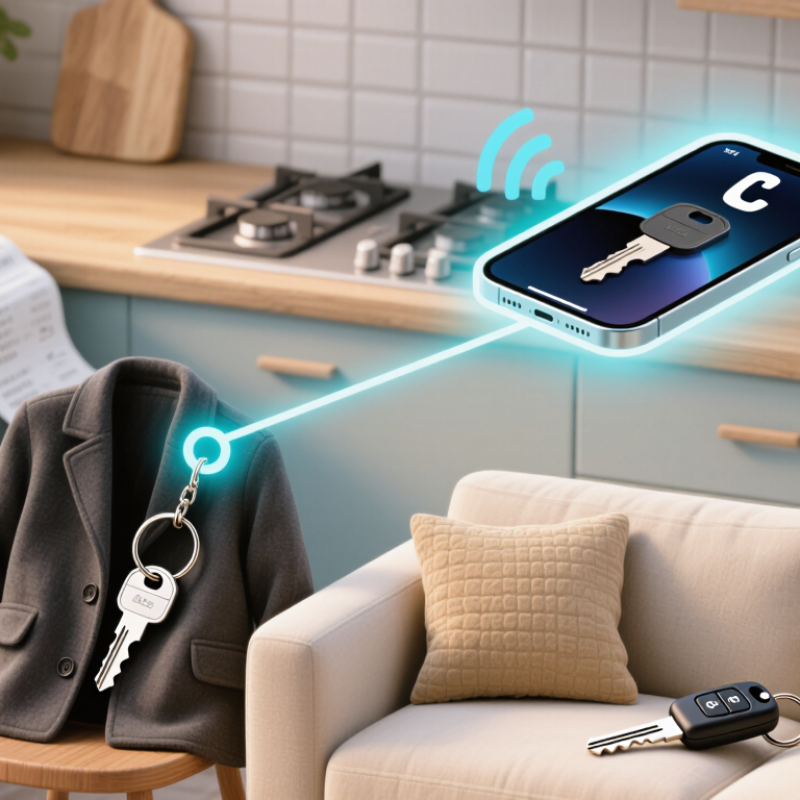
A keys locator is a small electronic tag attached to a keyring or slipped into a bag. It communicates with a phone, usually through Bluetooth. When keys are nearby, an app can prompt the tag to make a sound, helping you search under a coat or between sofa cushions. Some models also show the last location where the phone detected the tag. That can point you toward a café or parking spot, but it does not guarantee the keys are still there. Not quite magic.
The connection has limits. Walls, distance, a drained battery, or a phone with Bluetooth switched off can affect how well a locator works. Some systems may use nearby participating phones to update a tag’s location when it is out of Bluetooth range; the details vary by model. A locator is not necessarily a GPS device, and its map may show an earlier detection rather than a live position. Before choosing one, check its battery type, phone compatibility, alert settings, and location-sharing controls. It is easy to expect a precise answer every time. In practice, the device is a useful clue, not a substitute for checking the places you last used your keys.
Buyers typically use a keys locator by attaching its small tag to a key ring and pairing it with a phone or receiver. When keys disappear under a coat or between sofa cushions, they open the locator’s app and trigger an alert. The tag may beep, flash, or vibrate, depending on the model. Listen near likely hiding spots; a quiet room makes the sound easier to follow. It is not magic. Thick bags, walls, and low batteries can make alerts harder to hear, so buyers should check the device’s instructions and battery status.
Some locators show a recent or approximate location on a map, which can help when keys were left outside the home. That feature may depend on phone settings, signal, and the locator’s design, so it cannot guarantee an exact position. A useful habit is to mark a familiar place, such as the entry table, as the keys’ usual home. Still, habits fail on rushed mornings. Buyers often test the alert before relying on it, and should consider whether the app’s location permissions match their comfort level.
Why Do Buyers Choose a Keys Locator?
Features That Influence Keys Locator Choices
A useful keys locator should fit daily habits, not just boast a long feature list. Buyers often compare signal volume, tracking range, battery life, and how easily the device attaches to a key ring. A loud alert can help when keys slip beneath a sofa cushion, but it may be harder to hear in a busy room. Small details matter. Check whether the locator works with your phone and whether its app needs frequent permissions or updates. Some models can make a misplaced phone ring, which is handy when both items go missing.
Range claims deserve a closer look. Walls, furniture, and other surroundings can affect wireless signals, so advertised distances may not match a real home or office. No device is perfect. A replaceable battery can reduce hassle, while a rechargeable one may suit someone who already charges small electronics regularly. Buyers may also value separation alerts, shared access for household members, and a sturdy attachment point. These features are useful only when they work reliably and are simple to set up. I would not choose based on the alert sound alone; testing it in a coat pocket and across a room gives a more practical sense of whether it suits your routine.
| Feature or Consideration | Why It Matters to Buyers | What to Compare | Practical Buying Note |
|---|---|---|---|
| Finding method | Different locator types help users search in different ways, such as triggering an audible alert or viewing a nearby item’s location in an app. | Whether the device uses Bluetooth, a connected network, or another locating method. | Bluetooth-based tracking is generally most useful when the item is nearby; remote locating depends on the device and its network or connectivity features. |
| Alert volume and sound | A clear, audible signal can make keys easier to find under cushions, in bags, or in other nearby hiding places. | Alert loudness, tone, and whether the sound can be triggered from the locator’s companion app. | Sound may be harder to hear in noisy surroundings or when keys are enclosed in a bag or drawer. |
| Range and connection reliability | Buyers want a locator that can maintain a useful connection while searching for misplaced keys. | Published operating range, connection type, and how walls or other obstacles affect performance. | Wireless range figures are usually measured under specific conditions; real-world results can vary with the environment. |
| Battery type and replacement | Battery life affects ongoing convenience and the likelihood that the locator will be ready when needed. | Whether the battery is replaceable or rechargeable, the stated battery life, and how battery status is checked. | Battery life varies with usage, settings, and conditions. Check the manufacturer’s guidance before purchase. |
| App compatibility and setup | A simple setup makes it easier to pair the locator, trigger alerts, and manage its settings. | Compatibility with the buyer’s phone operating system, app requirements, and account or permission needs. | Confirm compatibility with the specific phone and operating-system version before buying. |
| Location history and map features | Location features can help buyers understand where an item was last connected or reported. | Whether the app shows a last-known location and what connectivity is required for location updates. | A last-known location may not be the item’s current location; updates depend on the device’s design and available connections. |
| Separation alerts | An alert may help users notice when they leave their keys behind. | Alert availability, customization options, and whether the feature requires the phone to remain connected. | Check the app’s settings and notification permissions, since these can affect whether alerts are delivered. |
| Size, attachment, and durability | A compact locator that attaches securely is less likely to be inconvenient during everyday use. | Overall size, weight, attachment style, and any published resistance to dust or water. | Not every locator is designed for exposure to water or rough handling; review the product’s stated protection details. |
| Privacy and sharing controls | Buyers may want clear information about location permissions, data use, and shared access. | App privacy settings, location permissions, and options for sharing access with household members. | Review the app’s privacy information and choose settings that match how the locator will be used. |
| Price and ongoing costs | The purchase price is only one part of the total cost of ownership. | Included accessories, replacement batteries, optional services, and any subscription requirements. | Check what features are included at no extra cost and whether any recurring fees apply. |
A keys locator is most useful in ordinary, rushed moments: when you are holding a grocery bag, the door is closing, and your keys are not where you left them. A small receiver or phone-based locator can help you find them by sound or show their last detected location. That can save time and reduce the daily scramble. Small convenience, real value.
A 2017 OnePoll survey commissioned by a locating-technology company reported that respondents spent an average of 2.5 days per year searching for misplaced items. It was a commissioned, self-reported survey, not a government time-use study, so the figure is best treated as an indication rather than a universal measure. Still, keys are a common target for this kind of search: they move between pockets, bags, counters, and coat hooks. A locator gives you one more way to retrace that trail.
The practical benefits depend on the device and your habits. Check its battery life, alert volume, phone compatibility, and whether it works beyond Bluetooth range before buying. At home, an audible alert may help you find keys under a jacket; away from home, location history may offer a useful clue, not a guarantee. And yes, you may still leave the keys somewhere odd. A locator helps, but it cannot build a better routine for you.
A useful keys locator should fit your daily routine, not just look good on a shelf. Check phone compatibility, alert volume, battery type, and the way its finding network works. Bluetooth SIG’s 2024 Market Update projects annual Bluetooth device shipments will reach 5.4 billion by 2028. That growth reflects broad adoption, but it does not guarantee that a locator will work well in your home. Test its range between the kitchen and front door, where walls and appliances can weaken a signal. A loud alert matters, too. A quiet beep may disappear beneath a sofa cushion.
Battery life and replacement options deserve a close look. Some devices use replaceable coin-cell batteries; others need charging or eventual replacement. Consider water resistance if keys often sit in a damp entryway, and check whether the locator’s app needs frequent permissions or account access. Read independent product testing and user feedback, but treat advertised range as an ideal-condition estimate. Real homes are messier.
Tips: Attach the locator securely, then test it from your usual hiding spots. Check battery alerts and privacy settings before relying on it. Small detail. You may still need to search manually when the battery dies or your phone is out of range.